



Googlebook’s Magic Pointer is coming to Chrome, and you can try it right now
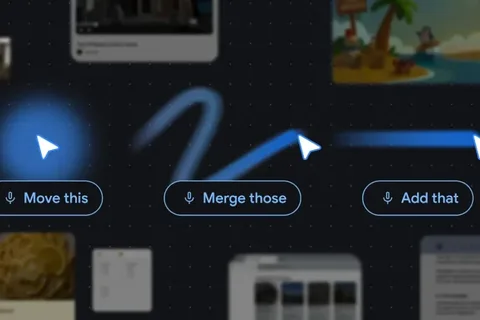
Google is fundamentally rethinking how we interact with AI, and thankfully, they aren’t making us wait for the release of the new Googlebook to get our hands on it. The underlying technology behind the very interesting “Magic Pointer” that debuted with Googlebook is rolling out to the Chrome browser on desktop, and Google DeepMind has even provided a few interactive demos to show off exactly how this is going to change our daily workflows. Ending the “AI detour” The research team at DeepMind has a very specific goal with this new pointer system: they want to eliminate the “AI detour.” Right now, if you want an AI to help you with something on your screen, you usually have to copy that information, drag it into a separate AI chat window, and write a text-heavy prompt explaining what you want. DeepMind wants the exact opposite. They are building an intuitive AI that meets you exactly where you are working, understanding both what you are pointing at and why it matters. Instead of typing out complex instructions, the pointer captures the visual and semantic context automatically. You can point at a PDF and request a bulleted summary to drop straight into an email. You can hover over a dense table of statistics and ask for a pie chart. You can even highlight a recipe and simply say, “Double the ingredients.” The AI handles the rest. Featured Videos Try it out in Google AI Studio While the rollout for the Chrome browser is happening now, DeepMind isn’t leaving us totally in the dark while we wait for the update to hit our personal devices. They have published two live demos in Google AI Studio that you can actually play with right now. These demos, focused on editing an image and finding places on a map, allow you to experience this new gesture-based interaction firsthand. It’s a great way to see how turning simple pixels into actionable entities actually feels in practice. I tried the demo once, following the recommended instructions; and it was fine. But then I did it again, going fully off-script to make a completely and utterly different photo than the one I started with; and that’s when I really started to see the benefits of Magic Pointer in action. Here’s where I ended up, though I’m not sure at what point I started to head down the Christmas path: A stepping stone for Googlebook It is important to note the distinction Google is making here. The feature rolling out to your desktop browser today is technically “Gemini in Chrome,” which allows you to point and ask questions about specific elements within your active webpage (i.e. – selecting two products to compare them or visualizing a couch in a living room photo). The official “Magic Pointer” branding is still reserved for the upcoming Googlebooks. On those devices, this tech won’t be confined to a browser tab; it will be deeply integrated at the OS level, working across the desktop, local files, and native Android apps. Rather than viewing this Chrome rollout as something that may diminish the appeal of Googlebook, it is better to see it as a stepping stone. Google is introducing a completely new, 50-years-in-the-making UI paradigm. Getting users comfortable with this frictionless, point-and-ask workflow in Chrome today is the perfect way to build excitement for the full, OS-wide experience coming to Googlebook this fall. And I can’t wait!
Source: Chrome Unboxed